An AI team for every company you run.
Support, email, development, news and finance. The agents read everything, draft the replies and tell you when something breaks. Nothing goes out without your approval.
- WhatsApp · Estúdio Mar Rita S. I paid for November and I can’t log in to the app.
- Email · Kora Pay Bank Can you send the October statements by Friday?
- GitHub · Kora Facturas 3 pull requests merged this week.
- WhatsApp · Dev team Tomás We closed 5 PRs this week.
- News New e-invoicing rule published.
- Servers · November Invoice for 142 USD, 12% more than October.
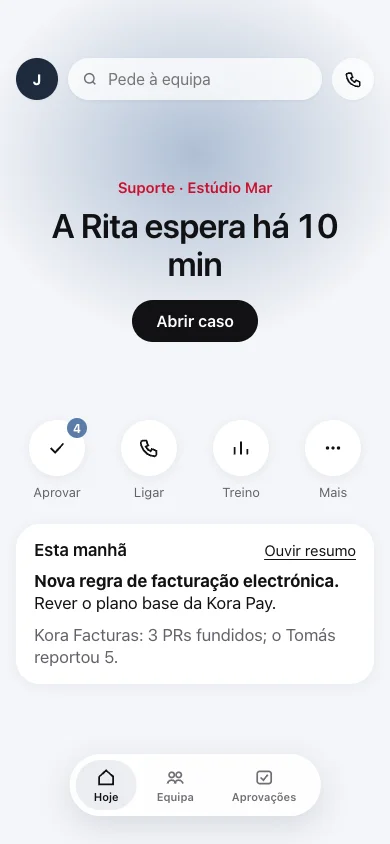
- Support: Rita has been waiting 10 min
- 4 drafts waiting for approval
- Morning summary in 2 minutes
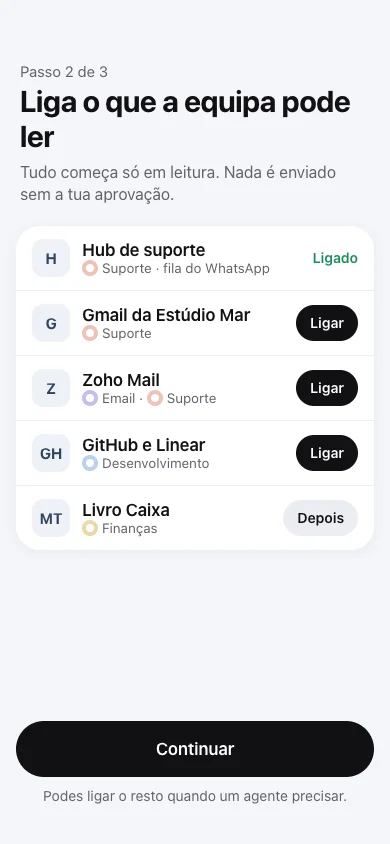
App screens in Portuguese, with sample data.
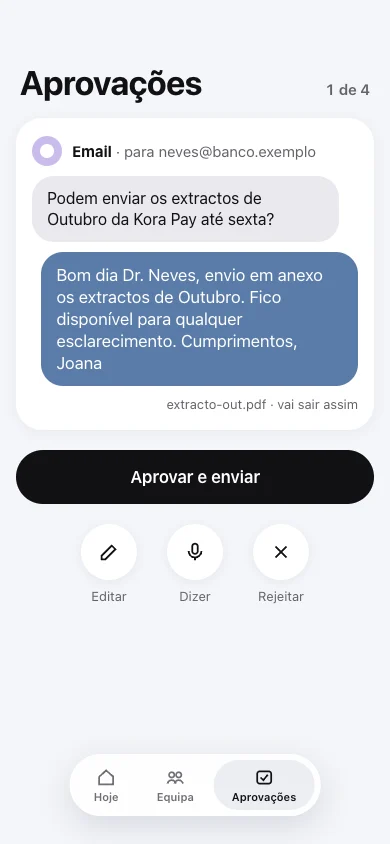
Six agents, each with one job.
Each agent works across all your companies at once. When you don’t know who to ask, talk to the Coordinator.
Coordinator
Takes your request and hands it to the right agent. Brings the answers back in one thread.
Support
Reads the support queues, drafts replies and warns you when a customer has waited too long.
Email
Reads your inboxes, sums up what matters and writes draft replies.
Development
Checks what the team reports against what is in the code and the task tracker.
News
Brings you the morning news that touches your businesses.
Finance
Tracks costs and spending, and warns you when a bill goes up.
Content Coming soon
Drafts posts for your brands’ social accounts.
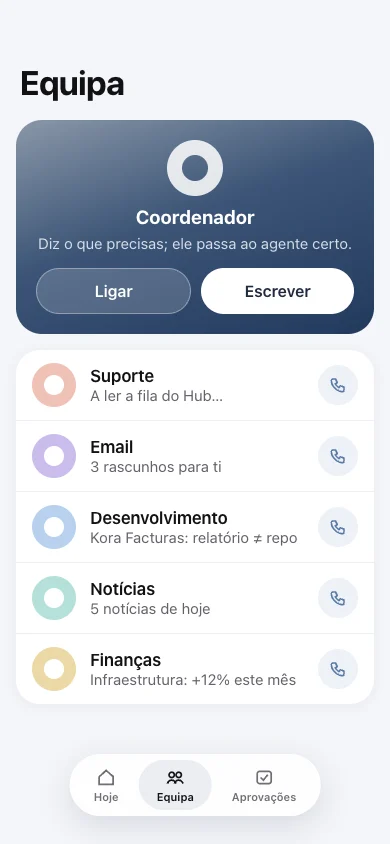
Nothing goes out without you.
Each draft shows the original request and the reply exactly as the recipient will see it, attachment included.
- Approve
- It goes out after 5 seconds. Until then, you can undo.
- Adjust
- Shorter, more formal, in English: pick one and preview it before approving.
- Say
- Say out loud what to change and the agent rewrites it.
- Reject
- Give the reason. The agent learns from it.
What Support did
1m 48s · 5 steps
- Read the conversation
14 messages · 7:29 to 7:41 - Checked the team rota
Inês busy · Sara starts at 8:00 - Looked for similar cases
3 this week, topic “app access” - Wrote the draft
Based on 19 approved replies - Waiting for your approval
Nothing has been sent.
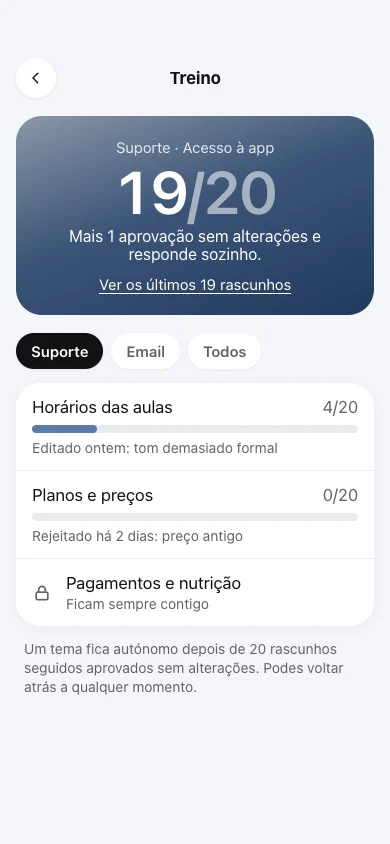
Autonomy is earned one topic at a time.
The agents start by reading. Once you approve 20 drafts in a row on one topic without changing a word, that topic gets answered without waiting for you. You can take it back at any time.
- Reads and alertsReads the connected accounts and alerts you. Writes to no one.
- DraftsPrepares every reply. Only what you approve goes out.
- Autonomous by topicAfter 20 drafts in a row approved unchanged.
Payments and clinical topics always stay with a person.
Call an agent the way you’d call a person.
Ask out loud. The agent tells you what it is doing and the last thing it found. The call shrinks to a card and the conversation carries on below it.
In the morning, listen to the day’s summary, one chapter per agent.
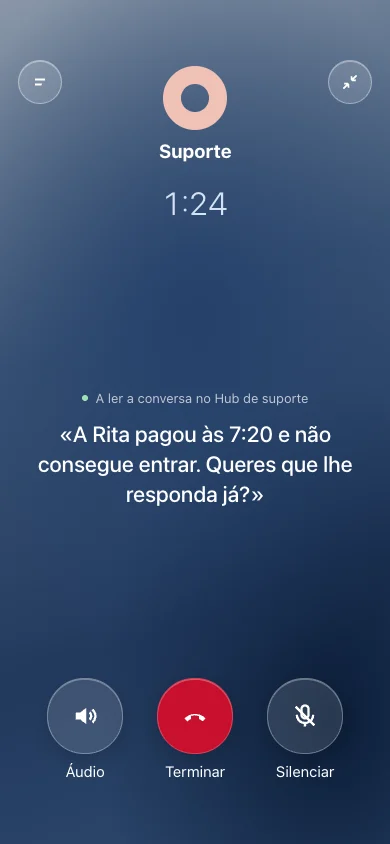
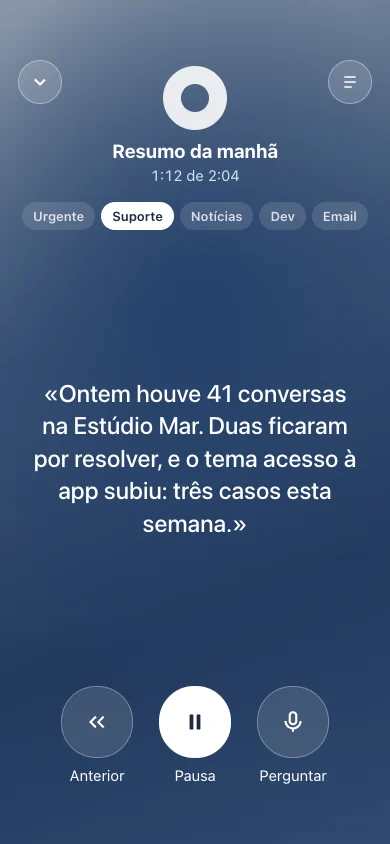
On iPhone and Mac, light or dark.
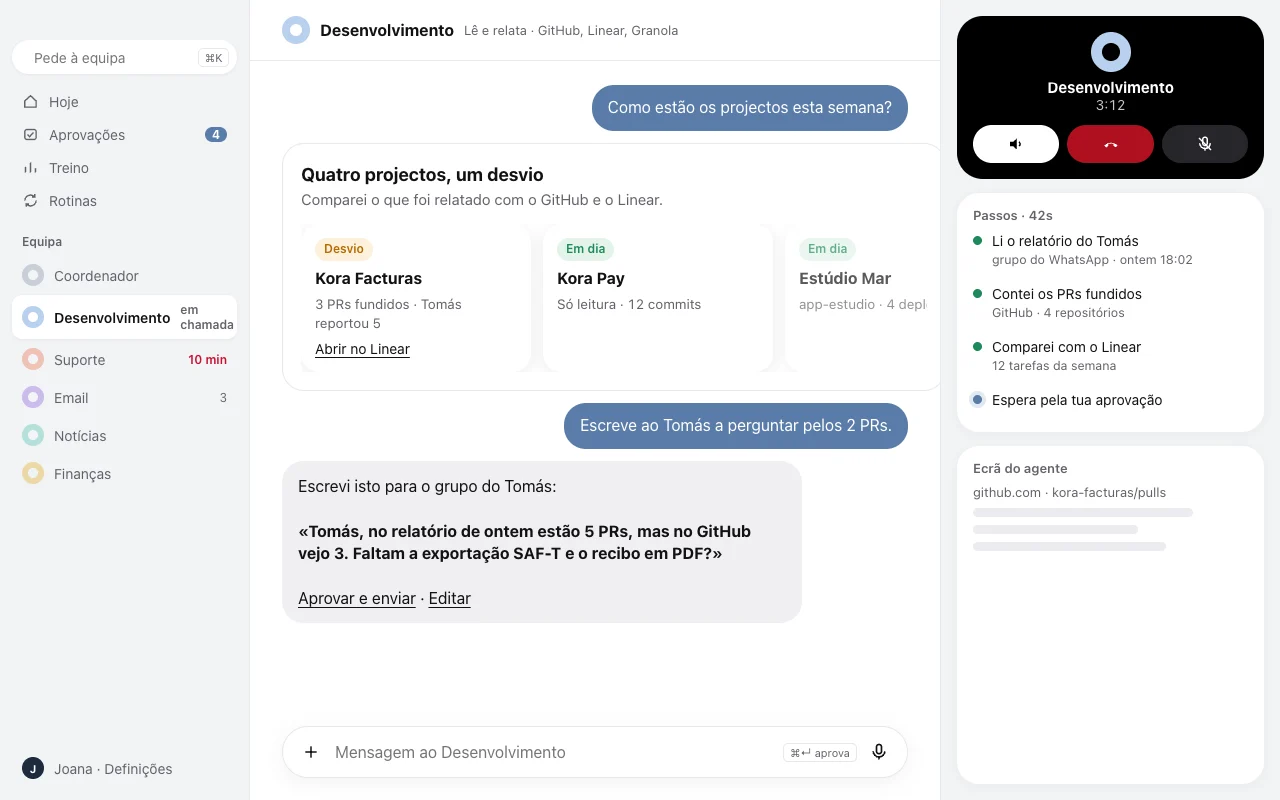
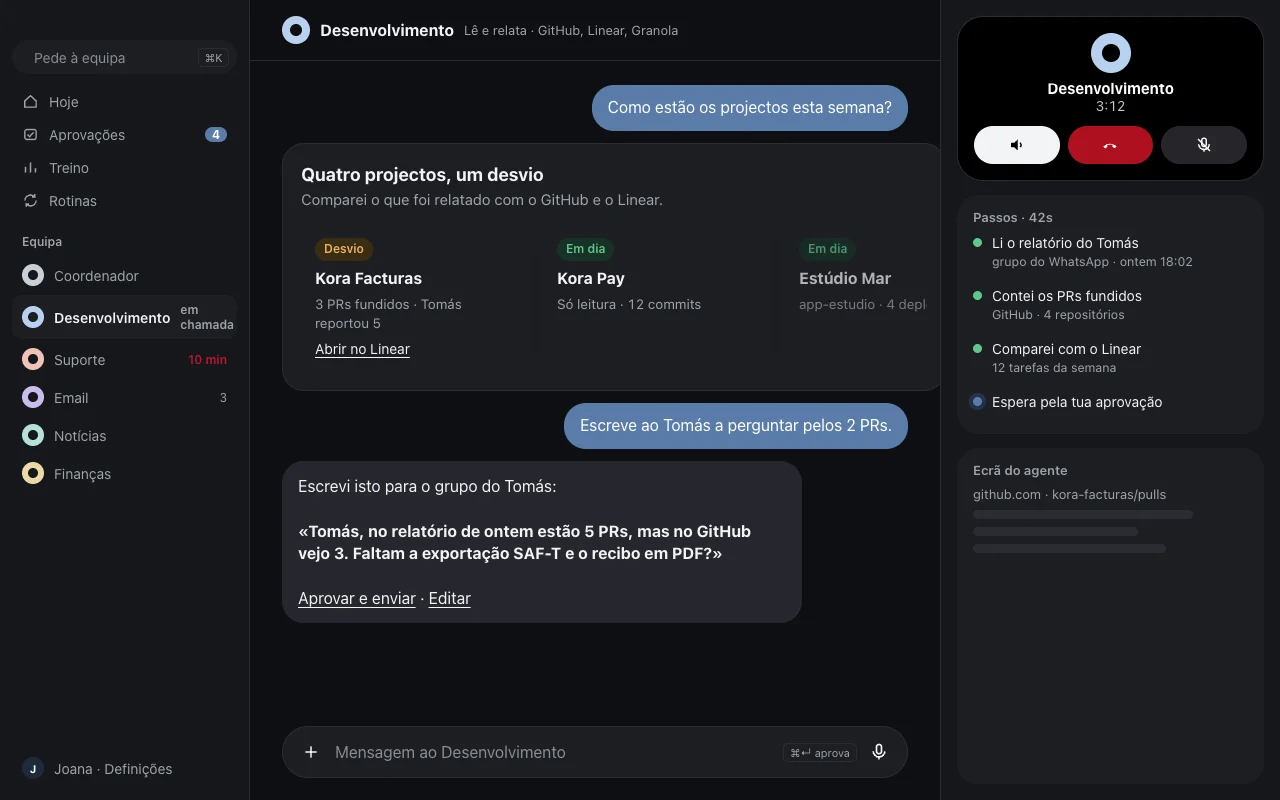
- ⌘↵ approve
- E edit
- ⌘K ask the team
What Cyrus reads, and what it sends.
- Everything starts read-only. You connect one account at a time, when an agent needs it, and disconnect it whenever you like.
- Gmail only with your permission. The agent reads and drafts. It sends only after you approve.
- We don’t use your data to train AI models. It is used only for the agents to work for you.
- Every approval is logged. You always know who approved what, and when.
Request early access.
We are opening Cyrus to a few companies at a time. Tell us what you want to hand over first. The conversation continues on WhatsApp, where we agree the start and the price with you.